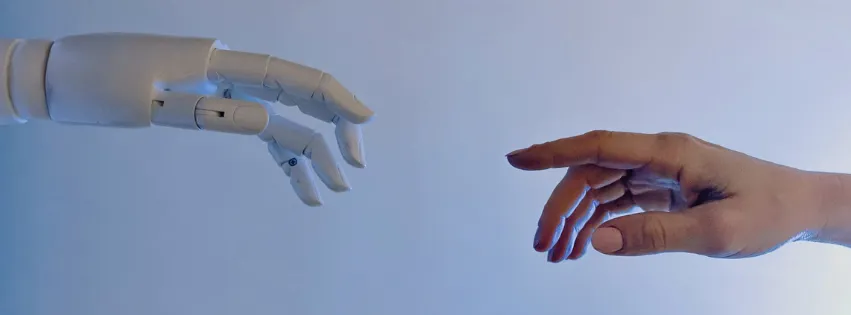
What Is Artificial Intelligence?
What You Will Learn
🎯 By the end of this lesson, you'll know: ➺ What "Artificial Intelligence" actually means, in plain words ➺ How AI is already part of your daily life (you might be surprised) ➺ How AI is different from a regular computer program ➺ The 3 AI tools you'll use throughout this course
1.1 • What Does "Artificial Intelligence" Mean?
> Let's Start Simple
The phrase sounds complicated. It really isn't. Let's break it down word by word.
Artificial Made by humans. Not natural, not alive — just built.
Intelligence The ability to understand things, learn, and solve problems.
Artificial Intelligence A computer program that can read what you write, understand what you mean, and give you a helpful answer.
> One Line to Remember
Think of AI as a knowledgeable friend who has read millions of books and can answer your questions in seconds — in any language, any time of day.
1.2 • How AI Is Already Part of Your Daily Life
> You Already Use AI — Without Realizing It
You don't need to be a tech person to use AI. Chances are, you're already using it every day.
📱 Typing on your phone Autocomplete suggests the next word as you type.
🗺 Google Maps AI predicts traffic and picks the fastest route for you.
📧 Gmail or Outlook AI quietly filters out spam before it reaches your inbox.
🎵 Spotify or YouTube AI watches what you listen to or watch, then recommends more like it.
📸 Your phone camera AI detects faces and adjusts the photo automatically.
🛒 Online shopping AI suggests products based on what you've looked at before.
> The Big Takeaway
AI isn't new or magical. It's a tool. And like any tool, once you know how to use it, it becomes genuinely useful — not intimidating.
1.3 • How AI Is Different From a Normal Program
> Two Very Different Things
Most computer programs follow fixed rules. AI doesn't work that way. Here's the difference:
Normal Computer Program e.g. a calculator You type: 2 + 2 Program: Follows fixed rules → always shows 4 Main idea: Same result every time. No understanding, no flexibility.
AI Program e.g. ChatGPT, Gemini, Claude You type: "I'm feeling tired and can't focus. What should I do?" AI: Understands the situation → gives a thoughtful, relevant answer (drink water, take a short walk, try the Pomodoro technique...) Main idea: Understands context. Adapts to you. Different question = different answer.
> What Makes AI Different — At a Glance
Understands natural language Normal program: ❌ AI Program: ✅
Adapts to different questions Normal program: ❌ AI Program: ✅
Learns from large amounts of text Normal program: ❌ AI Program: ✅
Can hold a conversation Normal program: ❌ AI Program: ✅
> How Did AI Get So Smart? (Very Simple Explanation)
You don't need the technical details. But a quick picture helps.
Step 1 Humans collected billions of pages of text — books, websites, articles, conversations. ⬇ Step 2 The AI read all of it and learned patterns: how words connect, what answers make sense. ⬇ Step 3 Now, when you type a question — the AI uses everything it learned to give you the best answer it can. ⬇ Step 4 You get a helpful, human-like response. 💬
Imagine someone who read every book, article, and website on the internet. Now imagine you can ask that person anything — and they reply in seconds. That's basically what AI does.
1.4 • The 3 AI Tools You'll Use in This Course
> Meet ChatGPT, Gemini, and Claude
These are the 3 most popular AI assistants in the world right now. All three are free to use, and you'll practice with them throughout this course.
💬 ChatGPT By OpenAI Website chat.openai.com Very popular, great all-around assistant. Best starting point for most beginners.
🔍 Google Gemini By Google Website gemini.google.com Works well with Google tools like Docs, Gmail, and Search. Good if you already use Google.
🤖 Claude By Anthropic Website claude.ai Careful, detailed, and great for writing. Tends to give longer, more thoughtful answers.
All three have a free version. You don't need to pay anything to follow this course.
> What Can These AI Tools Actually Do?
✍️ Writing Emails, messages, essays, social captions — drafted in seconds.
🌍 Translating Any language, instantly. No dictionary needed.
📄 Summarizing Paste a long article and get the key points in a few lines.
💡 Brainstorming Ideas for business, gifts, plans, content — AI never runs out.
❓ Answering questions Simple or complex — AI explains things at whatever level you need.
🧮 Reasoning step by step Break down tricky problems and work through them together.
> What AI Cannot Do — Good to Know From the Start
AI can make mistakes. It sometimes gives wrong information — always double-check anything important before acting on it.
AI doesn't know recent news. Its knowledge has a cutoff date, so very recent events may be missing or outdated.
AI is not a human. It has no real feelings, no personal experience, and no common sense about your specific life situation.
AI can't act in the real world. It can only give you text. It can't make a phone call, send an email on your behalf, or buy something for you.
AI is a very powerful assistant — not a replacement for your own thinking. The goal of this course is to help you work with it well.
Lesson Summary
- 🤖 AI is a smart computer program that understands your words and gives helpful answers
- 📱 You already use AI every day — Maps, autocomplete, spam filters, recommendations
- 🆚 Unlike normal programs, AI understands context and adapts to your questions
- 📚 AI got smart by learning from billions of pages of text
- 🌟 In this course you'll use ChatGPT, Google Gemini, and Claude — all free
- ⚠️ AI is powerful but not perfect — always verify anything important
Quick Check — Test Yourself
🧪 Answer these in your head, or write them down:
⟢ Question 1 What does "Artificial Intelligence" mean in simple words?
⟢ Question 2 Name one place in your daily life where you already use AI.
⟢ Question 3 What is one thing AI cannot do?
⟢ Question 4 What are the names of the 3 AI tools you'll use in this course?
➡️ Next Lesson: Lesson 2 — Meet the Top 3 AI Assistants You'll open ChatGPT, Gemini, and Claude and send your very first message!